Thứ Sáu, 12 tháng 8, 2016

Maya - Professional Blog Style Blogger Template

Maya - Professional Blog Style Blogger Template - This is another high quality and professional blog style blogger template. Running a blogging site with blogspot? Then, Maya is a perfect blogger template for your. It is highly optimized blogger any blog site those, are running their blog with blogspot platform. Maya is also perfect for any kind of Personal Blog. This is also perfect blogger template for, tech blog, personal blog, lifestyle blog, review blog, any kind of blogging blog.

Similar Template: Palki 2 - Responsive Blogger Template

maya professional responsive blog style blogger template


Maya Professional Blogger Template - Maya is a high quality and responsive blog style blogger template by msdesign. In this session we're sharing another professional blog style blogger template. This is totally Search engine optimized and pure responsive designed blogger template for blogspot platform. This is minimalist and creative blogger templates with lots of features. You can change template fonts and colors with one click from Blogger Template designer.


Maya - Professional Blog Style Blogger Template

Maya is a premium responsive Blogspot blog temlate, it’s product that simply reacts the way that you want. With the professional design, creative layouts, unlimited colors, unlimited fonts, custom widgets, unique style and many more! a lot of different features make Maya is a perfect choice for your personal blog or any kind of blogging blog. It is highly optimized for Search engine optimization (SEO Ready) and ready for adsense.

Maya - Mobile Friendly Blogger Template

Maya is fully mobile friendly and pure responsive designed blogger template that is compatible with all kind of smartphone and tablet phone. It will adapt fluidly to fit the dimensions of any display. Maya is fully responsive blogger template and touch supported.

Maya mobile friendly blogger template

Recent Posts Slider

We added a awesome and responsive recent post slider on Maya Blogger Template. This recent posts slider will display specific number of recent posts that you set, If you want to show any specific label posts, then can you do it. This recent posts slider support any specific label also.

Maya recent posts slider


Unlimited Fonts and Colors

Maya Blogger template created with lots of features, that helped you for customize this template easily without any knowledge. You can change templates fonts and colors with one click from Blogger Template Designer. In this template we used google unlimited fonts (pro features), and unlimited colors that you can change with your own choice.

maya blogger template unlimited fonts and colors

Search Engine Optimized

Maya blogger template is highly search optimized blogger template. SEO is done for you out of the box, so you can rest assured that your site will be discoverable and that you'll maximize your number of visitors. Maya will help your for that. Because it is fully SEO Optimized blogger template better rank on SERP.

Maya seo optimized blogger template

Some Features of Maya Blogger Template

  • Fully Responsive Design (Check)
  • SEO Optimized (Check)
  • Testing Tool Validator (Check)
  • Recent Posts Slider
  • Easy Admin Panel
  • Drop down menu
  • Social Icons
  • Unlimited Colors
  • Unlimited Fonts [pro only]
  • Ads Ready
  • Breadcrumbs
  • Related Posts
  • Social Share Buttons
  • Subscribe Box
  • Google Comment
  • Facebook Comment
  • Search Box
  • Custom 404 Error page
  • Much more


If you have any question or found any problem about pro version of Maya Blogger Template, then you should Contact with us. Or if you want design any custom template with your own, then you should also see our Services. Thank you.

Thứ Hai, 8 tháng 8, 2016

Fresh View - Best Responsive and SEO Blogger Template

Best personal blogger template 2017 Fresh View

Fresh View is a another awesome template from MS Design BD. Fresh View is fully responsive and SEO optimized blogger template. You can use this template on your personal blog site. Fresh View Blogger template is perfect for any review or blog site. In this template we first time use a awesome social icons widget like, Facebook, Twitter, Pinterest, Instagram, Google Plus, Linkedin, Flickr and Vine Social icons.

Fresh View - Best Personal Blogger Template

Before some days, we were published another template and that was, DreamLine - Responsive Personal Blogger Template. After that now we are publishing Fresh View Professional Blogger Template, its simple but awesome for any kind of personal blog. In this template we again use Features posts Slider with professional look. This template is perfect and compatible with any personal blog, Review blog. Free download this best blogger template for your blog. Fresh View has some awesome features, that make your blog look like professional and give a professional look. In this template we bring some awesome features, that make your blog really awesome. Now introduce with Fresh View's all awesome features. 

Featured Posts Slider:

Featured posts slider is another best widget of Fresh View Blogger Template. This is widget make this template more attractive and more professional. This widget automatically show 3 featured posts from your blog. That are most visited by users, or most popular on your blog. Sometimes it will show from last posts. That's means, sometimes it will show from recent posts.

Fresh View - Best Responsive and SEO Blogger Template


SEO Ready:

SEO is most important part of template design. MS Design always focus on SEO Optimization when design a unique template. Fresh View isn't progressed beyond from SEO Optimization. This blogger theme is fully seo ready blogger template. Blogger SEO is most important in search results. If your running a blogspot site, then focus on your blogger seo and seo friendly blogger template. This template up to 100% SEO scored. See The below screenshot.

Fresh View - Best Responsive and SEO Blogger Template Free Download

And more features made this template more professional. If you running a personal blog with blogspot platform, then you should use this Fresh View Blogger Template. This is a perfect blogger template for any kind of personal blog. This template make your blog more professional and more attractive.

Some Awesome Features:

  • Responsive [TEST]
  • SEO Optimized [TEST]
  • Google Testing Tool Validator [TEST]
  • Easy Admin Panel
  • Ads Ready
  • Social Icons
  • Related Posts
  • Social Share Buttons
  • Much more...

Thứ Bảy, 6 tháng 8, 2016

Bottom Floating Facebook Like Box Widget for Blogger

Bottom Floating Facebook Like Box Widget for Blogger - Hello blogger buzz, after long time, msdesign gonna sharing another great blogger widget. This is very unique and helpful widget for all blogger. Sometimes we have need to engage with our audience. Facebook pan page is easiest way to keep your audience in your hand. Then you have to need increase your fan page like. By using this awesome bottom floating facebook like box for blogger you can easily increase your facebook like with your targeted audience.

Awesome floating facebook like box for blogger

Bottom Floating Facebook Like Box for Blogger Blogspot

Before some days, at first i installed this bottom floating like box on my own blog and i get a very positive result. This widget working fine with also smartphone device. You should also try Sidebar Floating Facebook Like Box For Blogger this widget also working fine. I hope this blogger widgets will be helpful for you for increasing your facebook like.


Now lets star the tutorial. Before starting work, please take a backup of your template for safety.
Now go to Template > Edit HTML and past the below CSS before </style>
 #open-fb{background-color: #FFFFFF; border: 4px solid rgb(210, 210, 210); bottom: 0; border-bottom: 0; float:left; height: auto; margin-bottom: 0; margin-right: 5px; position: fixed; right: 0; width: auto; z-index: 10;}
.close-fb{color: #333!important; position: absolute; top: 1px; right: 1px; width: 20px; height: 20px; line-height: 20px; text-align: center; font-size: 11px;}
.slideUp{
animation-name: slideUp;
-webkit-animation-name: slideUp;

animation-duration: 1s;
-webkit-animation-duration: 1s;

animation-timing-function: ease;
-webkit-animation-timing-function: ease;

visibility: visible !important;
}

@keyframes slideUp {
0% {
transform: translateY(100%);
}
50%{
transform: translateY(-8%);
}
65%{
transform: translateY(4%);
}
80%{
transform: translateY(-4%);
}
95%{
transform: translateY(2%);
}
100% {
transform: translateY(0%);
}
}

@-webkit-keyframes slideUp {
0% {
-webkit-transform: translateY(100%);
}
50%{
-webkit-transform: translateY(-8%);
}
65%{
-webkit-transform: translateY(4%);
}
80%{
-webkit-transform: translateY(-4%);
}
95%{
-webkit-transform: translateY(2%);
}
100% {
-webkit-transform: translateY(0%);
}
}

Now past below codes before </body>
 <div class='slideUp' id='open-fb'>
<a class='close-fb' href='#close-fb-like-box' onclick='hide(&apos;open-fb&apos;)' title='Close'><i class='fa fa-times'/></a>
<div class='fb-like-box ' data-header='false' data-height='62' data-href='https://www.facebook.com/msdesign.rtml' data-show-faces='true' data-stream='false' data-width='187'><span style='height: 62px; width: 187px; '><iframe allowTransparency='true' frameborder='0' scrolling='no' src='//www.facebook.com/plugins/likebox.php?href=https%3A%2F%2Fwww.facebook.com%2Fmsdesign.rtml&amp;width=187&amp;height=62&amp;show_faces=false&amp;colorscheme=light&amp;stream=false&amp;border_color&amp;header=true' style='border:none; overflow:hidden; width:187px; height:62px;'/>
</span></div></div>
<script type='text/javascript'>

function show(target) {
document.getElementById(target).style.display = &#39;block&#39;;
}

function hide(target) {
document.getElementById(target).style.display = &#39;none&#39;;
}
</script>

Note: Change /msdesign.rtml with your page user name twice.

Now Save template and view result by refreshing page.


Hope guys you liked this awesome blogger widgets. If yes, then do not forget to share this on you social media and other friends. And if your facing any problems with this bottom floating facebook like box widget for blogger, then inform us on comment section with your problem. Will hard try to resolve your problems. Thanks you.

Thứ Tư, 3 tháng 8, 2016

True Mag - Professional Newspaper/Magazine Blogger Template

True Mag premium magazine blogger template

True Mag is professional news and magazine base premium blogger template by msdesignbd. True Mag is first professional, high quality, responsive, clean designed, minimalist and user friendly magazine blogger template made by msdesignbd. If you're looking for a magazine template for your newspaper blog, then True Mag will be perfect template for you. This is an eye-catching and highly professional blogger magazine template that is perfect for webmasters with lots of content and who want to engage with their audience with a news portal. Countless options in blogger template designer make the template perfectly customizable for everyone, even who don't know any codding. You should also cache us on themeforest, we're also available on here.

True Mag - Professional and Premium Magazine Blogger Template

True Mag is best premium magazine blogger template for every newspaper blog or magazine based blog who running with blogspot platform. This is a super fast blogger template, that make a pure user experience. True mag was built for different type of blog like as, newspaper, magazine, fashion, technology, multimedia, lifestyle, and personal blogs. This is totally pro version blogger template. True Mag is highly SEO friendly magazine template for blogger. If you're looking for high quality and premium magazine template for blogger, then it will be perfect template for you blog. We can't release the free version of this template. If you want, then you should try News52 template for test. Because True Mag is almost same and better release of News52. Buy Now This awesome Magazine Template.

True Mag - Responsive Magazine Blogger Template

True Mag is fully pure responsive designed magazine blogger template. How to adapts seamlessly to any display that's viewing it in accordance with google's guidelines and for a better user experience. True mag change all user experience. Because it is highly optimized with all mobile device, like, smartphone and tablet phone. This template compatible with all mobile device.

True Mag responsive magazine blogger template

10+ Powerful Home layout widgets

In this template we used 10+ powerful home layout widget by label. These widgets are totally unuque home layout box that make your homepage more professioanl and more beautiful. If you wanna give your blog a new and fresh look, then True Mag Template will be perfect for your newsportal blog or magazine blog. 

True Mag 10+ home layout box wigets

Unlimited Colors Option

This is an another important option to customize a blogger template easily. True Mag Template support unlimited colors option to change template color easily from Blogger Template designer. Unlimited colors option allow for make your blog a completely unique look to match your choice and with your brand that like your audience. You can change whole template color with one click.

True Mag unlimited colors option

100+ Google Fonts

This magazine blogger templates support unlimited over 100+ google web fonts for beautiful typographic option. You can change every section's font for one click. This option made this template more easy for customization. This powerful option panel gives you full control all in one place. Step by step you can change template fonts form blogger template designer.

True Mag 100+ google fonts options

Multiple Comment Tabs

This is also an another most important option of blogger template for engaged with your audience. A user can describe their opinion by two method, blogger comments and facebook comments. This is also a most popular features of every blogger templates. All code is incredibly clean with helpful comments to make edits as quick and simple as possible.

True Mag Multiple comment tabs


Some other features of True Mag Template

  • Fully Responsive Design (Check)
  • SEO Optimized
  • Google Testing tool Validator
  • Easy Admin Panel
  • Easy Customization
  • Breaking News Ticker
  • Drop down menu
  • Social Icons
  • Unlimited Colors
  • Unlimited Fonts
  • Ads Ready
  • Magazine Layout (10+)
  • Recent Posts Slider
  • Recent Posts Carousel
  • Recent Posts Widget
  • Subscribe box
  • Related Posts
  • Social Share Buttons
  • Post Reaction
  • Author Bio Box
  • Multiple Comment Tabs
  • Search Box
  • Custom 404 Error page
  • Well Documentation
  • Much more


If you have any questions about this template, the feel free to describe your opinion on comment section or you should also Contact with us. Thanks...

Thứ Ba, 2 tháng 8, 2016

2 Best Email Subscribe Widget for Blogger

blogger subscribe widget 2 style free

How to add feedburner email subscription widget for blogger. Email subscribe widget is most important part of every blogger. Do you know what is email subscribe widget? Yes! this is collect huge amount traffic for your blog. Today i am share 2 beautiful blogger email subscription widget for your blog. Check this JSC Exam Result 2016 Earlier some days, i shared a another popup subscribe box for blogger and that is Pop up Email Subscribe box for Blogger. But today i am share another 2 creative email subscription widget box for blogger and one subscription widget is with social icons. 

A Feedburner email subscription widget can bring a huge number of visitors on your blog. Visitors are subscribe in your blog by put their email and they always get your new updates on their email. Email subscription form on blogger is a important widget.

Email Subscribe Widgets for Blogger

If you place blogger email subscription widget on sidebar then, it will be better. But popup and below of every post is also good place to add email subscribe box in blogger. Today i am share 2 creative sidebar email subscribe box widget for blogger. 
  1. Dark background with social icons
  2. Colorful widget with name box

How it work?

Everyone know about google's feedburner. In short, google feedburner is most popular RSS web service feed. If anyone subscribe on your blog with their email, then feedburner to deliver your latest posts on all subscribed emails. In this tutorial i shared 2 subscribe box widget for blogger. Using these widget you can also grow up your blog's visitors.

How to registration on feedburner? Go to the following link and registration with your blog address and your email: feedburner.google.com. If ones done, then collect your feedburner username and note it.

Now lets start our tutorial.

1- Dark background with social icons

Its the awesome and cute email newsletter subscribe box widget for blogger that created with pure css with fontawesome icons. By using this email newsletter forms you can also use your social media links like Facebook, twitter, linkedin, google plus, pinterest, vine and instagram social icons. Attractive subscription widget box is better for every blog. Our first widget is more attractive for blogger.


subscribe box widget for blogspot


First you have to need add fontawesome icon and PT Sans google font. If already added then ignore step 1.

Note: If you use our code, then you agree to give proper footer credit.

Step 1: Go to Blogger Dashboard > Template > Edit HTML and past below codes right after <head>
 <link href='https://maxcdn.bootstrapcdn.com/font-awesome/4.4.0/css/font-awesome.min.css' rel='stylesheet' type='text/css'/>
<link href='//fonts.googleapis.com/css?family=PT+Sans:400,700' rel='stylesheet' type='text/css'/>


Step 2: Now need to add CSS Code before </style>
 #subscribebox{background:#576269;padding:20px;font-family:&#39;PT Sans&#39;,sans-serif;}
.widget_follow_subscribe .widget-detail{padding:36px 30px 40px}
#subscribebox p{color:#fff;font-size:15px;text-align:center;font-weight:700}
.follow-subscribe-social{margin:0 0 15px;padding:0 0 14px;border-bottom:#858585 solid 1px}
.follow-subscribe-social ul{list-style:none;margin:0;padding:0;text-align:center}
.follow-subscribe-social ul li{display:inline;margin:0 15px 0 0;border-bottom:none}
.follow-subscribe-social ul li:last-child{margin:0}
.follow-subscribe-social ul li a{font-size:17px;color:#cacaca;-webkit-transition:color .2s ease-in-out;-moz-transition:color .2s ease-in-out;-ms-transition:color .2s ease-in-out;-o-transition:color .2s ease-in-out;transition:color .2s ease-in-out}
.follow-subscribe-social ul li a:hover{color:#fff}
form.subscribe{margin-top:-7px}
form.subscribe input{display:block;width:100%}
.subscribe-email{height:45px;border:none;margin:0 0 10px;font-size:.928571em;background-color:rgba(255,255,255,0.2);text-align:center;color:#fff}
.subscribe-email:focus{outline:0}
form.subscribe .placeholder{color:#cacaca}
form.subscribe input:-ms-input-placeholder{color:#cacaca}
form.subscribe input::-webkit-input-placeholder{color:#cacaca}
form.subscribe input:-moz-placeholder{color:#fafafa}
form.subscribe input::-moz-placeholder{color:#fafafa}
.subscribe-button{height:45px;font-weight:700;font-size:16px;color:#fff;text-transform:uppercase;border:none;background-color:#F35D5C;-webkit-transition:background-color .2s ease-in-out;-moz-transition:background-color .2s ease-in-out;-ms-transition:background-color .2s ease-in-out;-o-transition:background-color .2s ease-in-out;transition:background-color .2s ease-in-out}
.subscribe-button:hover{background-color:#f1d640}
.subscribe-button:focus{outline:0}
.creadit a{color: #A7A6A6; float: right; font-size: 8px;}

Save Template.

Now go to Layout > Add a gadget > HTML/Javascript and past below HTML code and save widget.
 <div id="subscribebox">
<div class="follow-subscribe-social">
<ul>
<li><a href="#" target="_blank"><i class="fa fa-facebook"></i></a></li>
<li><a href="#" target="_blank"><i class="fa fa-twitter"></i></a></li>
<li><a href="#" target="_blank"><i class="fa fa-linkedin"></i></a></li>
<li><a href="#" target="_blank"><i class="fa fa-google"></i></a></li>
<li><a href="#" target="_blank"><i class="fa fa-pinterest-p"></i></a></li>
<li><a href="#" target="_blank"><i class="fa fa-dribbble"></i></a></li>
<li><a href="#" target="_blank"><i class="fa fa-instagram"></i></a></li>
</ul>
</div>
<p>Subscribe to my Newsletter</p>
<form class="subscribe" action='http://feedburner.google.com/fb/a/mailverify?uri=YOUR-USER-NAME' method='post' onsubmit='window.open(&apos;http://feedburner.google.com/fb/a/mailverify?uri=YOUR-USER-NAME, &apos;popupwindow&apos;, &apos;scrollbars=yes,width=550,height=520&apos;);return true' target='popupwindow'>
<input name='uri' type='hidden' value='YOUR-USER-NAME'/>
<input name='loc' type='hidden' value='en_US'/>
<input class="subscribe-email" type='text' name='email' onblur='if (this.value == &quot;&quot;) {this.value = &quot;Your Email&quot;;}' onfocus='if (this.value == &quot;Your Email&quot;) {this.value = &quot;&quot;;}' value='Your Email'/>
<input class="subscribe-button" type="submit" value="Subscribe" />
</form>
</div>
<div class="creadit">
<a href="http://msdesignbd.com" rel="dofollow" target="_blank"> Get This Widget</a></div>

Customization:

  • Change all # tag with your all social media link.
  • Change all YOUR-USER-NAME with your feedburner user name.

2 - Colorful widget with name box

You can use this widget below of every post. This subscribe box widget is created with simple css with colorful background. In this email subscription widget visitors are able write their name. The name box make this widget more professional. In this widget you can change subscribe box heading. Default heading is: "Subscribe for our all latest news and updates". Now lets start this,


blogger feedburner subscribe box widget


Step 1: Firstly need to add CSS code of this widget. So, copy past below css before </style>
 #subscribe-box {background-color:#0CC388;font-family: 'PT Sans', sans-serif;}
#subscribe-box p {font-size:22px;color:#fff;line-height:20px;padding:10px 20px 0 20px;margin:0;}
#subscribe-box .emailfield {padding:0px 20px 10px;}
#subscribe-box .emailfield input {background:#f9f9f9;color:#bbb;padding:10px;margin-top:10px;font-size:13px;width:91%;border:0;transition:all 0.4s ease-in-out;}
#subscribe-box .emailfield input:focus {background:#fff;outline:none;color:#888;}
#subscribe-box .emailfield .submitbutton {background:#444;color:#fff;text-transform:uppercase;font-weight:700;font-size:18px;font-family: 'PT Sans', sans-serif;;border:none;outline:none;width:100%;cursor:pointer;border-radius:3px;transition:all 0.4s ease-in-out;}
#subscribe-box .emailfield .submitbutton:active {outline:none;border:none;background:#fff;color:#e25734;}
#subscribe-box .emailfield .submitbutton:hover{background:#fff;color:#444;}
.creadit a{color: #A7A6A6; float: right; font-size: 8px

Save Template.

Now add a new HTML/Javascript gadget from Layout and past below code.
 <div id="subscribe-box">
<center>
Subscribe for our all latest news and updates</center>
<div class="emailfield">
<form action="http://feedburner.google.com/fb/a/mailverify?uri=USER-NAME" method="post" onsubmit="window.open('http://feedburner.google.com/fb/a/mailverify?uri=USER-NAME, 'popupwindow', 'scrollbars=yes,width=550,height=520');return true" target="popupwindow">
<input name="name" onblur="if (this.value == &quot;&quot;) {this.value = &quot;Your Name&quot;;}" onfocus="if (this.value == &quot;Your Name&quot;) {this.value = &quot;&quot;;}" type="text" value="Your Name" />
<input name="email" onblur="if (this.value == &quot;&quot;) {this.value = &quot;Your Email&quot;;}" onfocus="if (this.value == &quot;Your Email&quot;) {this.value = &quot;&quot;;}" type="text" value="Your Email" />
<input name="uri" type="hidden" value="USER-NAME" />
<input name="loc" type="hidden" value="en_US" />
<input class="submitbutton" type="submit" value="Subscribe Now" />

</form>
</div>
</div>
<div class="creadit">
<a href="http://msdesignbd.com/" rel="dofollow" target="_blank"> Get This Widget</a></div>


Customization:
  • Change all USER-NAME with your feedburner user name. 

Hope this 2 email subscribe box widget is helped you. If you found any problems, then inform me on comment section, i will try to solve your problems. And finally don't forget to share our posts with your friends. Thanks... 

Thứ Năm, 21 tháng 7, 2016

15+ Best Blogger widgets and Plugins 2017

best blogger widgets and gadget install now
15+ Best free Blogger widgets and Plugins 2017 - Welcome to our another blogger tutorial. Blogger's popularity increasing day by day. Blogger is the best and CMS blogging platform you know. It is the most powerful CMS nowadays. Maximum people choice blogger for it's easy customization. People can easily upload custom blogger templates. That's why maximum newbie blogger's first choice is Blogspot platform. In this post i will share 15+ free and best blogger widgets that are mostly needed in every blog.

Best Blogger Widgets 2017

I can hardly says these widgets are best blogger widgets and gadgets 2017. Every bloggers know that, we can't add any widgets or plugins like wordpress. We have to need add any blogger widgets or plugins manually. Some people are always looking for beautiful and essential blogspot widgets for his/her blog. Today gonna to share 15+ hand-picked free and best blogger widgets and i hope that, these blogger widgets are may helpful for you and its absolutely free widgets.

Discover now our 10+ best responsive and SEO optimized free blogger templates.

Floating Facebook Like Box For Blogger

Sidebar Floating Facebook Like Box For Blogger

It's a best blogger widget to promote facebook fan box into your blog. Sidebar Floating Facebook Like Box For Blogger - is a widget for adding a like box on blogger in sidebar. Facebook like box for website or blogspot is a important widget to increase fan page like. You can easily grow up your facebook fan page like using facebook like box. This is the best blogger plugins and widgets to promote facebook like box. Today i am share awesome and beautiful facebook like box for website. This a sidebar floating facebook like box. When visitors mouse hover in facebook icon, then it Floating and open a like box from sidebar. This script i founded around internet. But i customize this script with CSS and get up an awesome look. You can add this code also any wordpress blog.


CSS Social Share Button for Blogger

Flat Social Share Button for Blogger

Flat Social Share Button for Blogger - install this social button widget in your blog. By using this blogger widget you can add share button for blogger posts. It's a best sharing button for blogger. Some users sometimes looking for facebook share button for blogger. But in this widget we bring some more social platform. This is simple social share widget for blogger. Sometimes some users looking for a unique, minimal, flat and simple social share buttons for their blog. In this blogger tutorial i will share a awesome and most popular CSS social share button for blogspot blog. A social share buttons is a important part in every blog. Its the greatest way to increase every blog traffic. When users are found your blog post in helpful then they will to share your posts on social media. In your blog's has a attractive social share icons, then they easily share your content in their account.

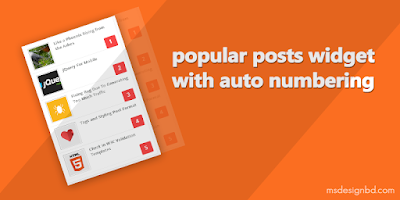
Popular Posts widget with Thumbnail and Auto Numbering

Blogger Popular Posts widget with Thumbnail and Auto Numbering

This is another best and useful gadgets for blogger. Some users want to customize popular posts widget blogger. I can hardly say, it is the best popular posts widget blogger and perfect for every blog. Blogger Popular Posts widget with Thumbnail and Auto Numbering - in this tutorial i will share how add a popular posts widget in your blog with Thumbnail and auto numbering. Blogger popular posts widget is a customize able widget with CSS. Thumbnail popular post is most popular nowadays. That's why you should use this blogger popular posts widget with thumbnails for your blog.


Email Subscription form Widget for Blogger

subscribe box widget for blogspot

Subscription box widget for blogger is a another best and essential blogger widgets. Feedburner email subscription widget can increase your blog traffic hugely. Email subscribe widget is most important part of every blogger. Do you know what is email subscribe widget? Yes! this is collect huge amount traffic for your blog. Today i am share 2 beautiful blogger email subscription widget for your blog. Its the awesome and cute email newsletter subscribe box widget for blogger that created with pure css with fontawesome icons. By using this email newsletter forms you can also use your social media links like Facebook, twitter, linkedin, google plus, pinterest, vine and instagram social icons. Attractive subscription widget box is better for every blog. Our first widget is more attractive for blogger.


Popup Facebook Like Box Widget for Blogger

Flat Popup Facebook Like Box for Blogger

Pop up facebook like box is most trending widget nowadays. Popup facebook like box widget for blogger may increase your blog traffic. Targeted visitors are most important of any blog. Retention blog visitors more and more important. If you want to increase your facebook like then should promote your page in your blog with your blog's users. Then you will get more like from your users who visit your blog. Adding the pop up like box is most essential for get more like. So today i am gonna to share a tutorial about pop up facebook like box for blogger.


Nicer Social icons Widget for blogger

Blogger social icons with hover effect

Social icons are most important part of any blog now-a-days. We see any where any website and any apps, they promote their social media links with attractive social icons. In this tutorial, we take a look of creating a beautiful and simple social icons widget with hover effect for Blogspot Blogger. I already named this widget: Nicer Social Icons Widget with hover effect for Blogger.


Blogger Author Bio box in every posts

Blogger Author Bio box with Social icons


Some people want to show their author bio in every post's below. This widget is specially for his/her. Install this author bio box with social icons for blogger. Blogger Author Bio box with Social icons - in this tutorial i am share how to add an author bio box in blogger with social icons. By using this author box you should easily add author's avatar, author's bio (Description) and author's social media links.  For request of some friends today i share this tutorial how to install blogger author box.


Social Media Icons Widget for Blogger

css social media icons widget for blogger

I can hardly say, social media is a important part of blogger SEO. To promote your social media, you have must install attractive and beautiful social media icons widget in blogger. This tutorial help you adding a free social media icons in blogger. The best social media buttons for blogger i shared in this blogger tutorial. Some friends requested me that, how to add social media icons widget in blogger. That's why today i am came with 3 awesome style and fontawesome social network icons widget for blogspot blogger. By using these social media icons widget you may increase your blog's look. If you looking for a social media widget for blogger , then this tutorial for you. Social icons and social media icons is play an important role on every blog. It help you to make connection with your visitors. 


Weather Widget For Blogger

Free Weather widget for website

Hello my dear friends, hope all are fine. Today i am going to show a awesome widget for blogger and that is weather widget. You can easily add a weather widget to your blog using html code. By using this html code you can Create a Current Weather Widget easily. This widget from accuweather.com. You know, accuweather always give better information about weather world wide. That's why we add a weather widget to our blog or website using accuweather. Ok, let's stat.


Breaking News Ticker For Blogger

Add Breaking News Ticker For Blogger

Breaking News Ticker widget for blogger - is a most important and popular tool for blogger. Specially News base blog's must have a breaking news ticker on their website. Today i am share the exclusive tropic. Adding this widget, you can easily shown your latest or recent posts one by one. This widget is help you to show recent posts as a ticker. In this tutorial i will show you, how to add automated breaking news ticker for blogger. Every wordpressian can add latest posts ticker by adding some wordpress plugins easily. But every blogger users need to do it by adding some code manually. In this post, i shared a beautiful breaking news ticker for blogspot blog.


Recent Comments Widget with avatar

Blogger Recent Comments Widget with Cirle Thumbnails - is a widget that can show recent comments. We add many widget for make our blog beautiful. All of them Recent Comments Widget is one. By this widget you can display a number of comment(s). In this time i share this widget. This widget is made with CSS and Javascript. By using this widget you also change the comment avatar size (Default size is 45px). This recent comment widget is fully different with other widget. This CSS look is awesome. Now let's start.


Animated Social Share Button For Blogger

Blogger Animated Social Share Button

Animated Social Share Button For Blogger with CSS - is a share button that is make your blog more attractive. If you search for share button on internet, then you found many results like Adthis, Share This, Simple Share button, Addtoany etc share button for blogger. Those are mostly helpful and workable. Today i am share an awesome animated mouse hover social share button for blogger. This share button is fully customized with CSS. Using this share button you should add Facebook, Twitter, Google+, Linkedin and Pinterest share button on blogger blog.


Blogger Author Widget with social icons

Blogger Author Widget with CSS3


Blogger Author Widget with CSS3 - in this tutorial i shared a author widget for blogger. Yeah! its a great tutorial for all bloggers admin. Specially this tutorial my helpful for who run personal blog. A beautiful widget is only for you. Flat, Clean and responsive. You should add 4 social icons with your links. Twitter, Facebook, Dribble and Google Plus icons. This widget will work with CSS3 transition hover effect. When you mouse hover on this widget, then it open other part. Its social icons part. If you wanna see a demo, look at our first widget.


Pop up Email Subscribe box for Blogger

blogger pop up email subscribe box

Popup email subscription or newsletter widget for blogger another essential widget. Using popup email subscribe box you can hugely increase your feed subscribers. Pop up Email Subscribe box for Blogger - is a blogger widget using jquery. This subscription form created with css3 and jquery. In this tutorial i shared how to add pop up email subscription box for your blogspot blog. By adding this widget, you should easily increase your blog readers. It's a better way for increase blog readers. I hope this fresh pop up email subscribe box help you to increase blog readers. Now lets start the tutorial.


Facebook comment box for Blogger

blogspot new facebook comment box

Facebook comment box is another popular comment system in blogger. Latest version Facebook comment box for Blogger - The Comments plugin lets people comment on blog post on your site using their Facebook account. If people wish to they can share this activity to their friends in News Feed as well. This comment box also contains built-in moderation tools and special social relevance ranking. There have been many facebook comment box in internet but today i am share the latest version of facebook comment box. Recently facebook developer update their Facebook Comment box plugin version v2.3. The main facilities are using of facebook comment box is, visitors are easily explain their opinion about your content and admin can catch his/her visitors easily.


We'll continuously add most popular and attractive blogger widgets in this posts. Subscribe Now for all latest blogger widgets and free blogger templates. If you have any request or any question about blogger widgets, then feel free to discuss in comment section. I will try to my label best to solve you problems. You can also directly contact with me on Facebook. 

I hope that all blogger widgets are may helpful for you. If you found any problems on any widgets, then inform me on comment sections. I will assist you my label best. And finally you if you thinks our posts are helpful, then do not forget to share our articles with others. Thanks...

Thứ Năm, 23 tháng 6, 2016

BidVertiser Best Adsense Alternative for Download Site

a positive review about BidVertiser Best Adsense Alternative

BidVertiser is one of the popular advertisement network created by Bpath Company in 2003. It is a targeted Pay per Click advertising outlet and privately owned by the management team. BidVertiser best adsense alternative for every download site and it is a great and vast option for those who have been banned from adsense.It is a honest review about Bidvertiser best adsense ppc ad newtwork. Bidvertiser is great in the reality that not only do they PPC pay per click but also on conversions too, means that you have dual chance to make income, one from clicks and the second from conversions, it also can lead to a healthy income stream.

BidVertiser Best Adsense Alternative PPC ad network

Bidvertiser best Adsense alternative, and it can used in conjunction with Adsense. You can observe some of the Bidvertiser Ad is similar to Adsense but you can customize these ads to amend that. As compared to Adsense for PPC rate, Bidvertiser offer you the opportunity to get a decent income with the toolbar with a lower pay out rate than Google Adsense PPC. It’s meant to increase with time the longer you linked with Bidvertiser. Bidvertiser alternative of google adsense because it’s provide you the way if you are facing problem by Google adsense you can easily convert to Bidvertiser and continue your online business.


However there are some differences between adsense and Bidvertiser on a comparison stage, going to mention below their differences:

  • Bidvertsers Sign up process is very easy as compared to Adsense sign up Process. 
  • Fill rate of BidVertiser is approximately 100% but the fill rate of Adsense is 100%. 
  • Bidvertisers quality of ads isn’t very good but it has different ads type which is good for it, Adsense quality of ads are best. 
  • BidVertiser PPC is good but not the best and the Adsense PPC is best there is no doubt and questions on it. 
  • Bidvertiser minimum payout is only 10$ and it has payment method, Paypal, Check, Wire Transfer. Western Union while Adsense minimum payout is 100$ and the payment method is Check only.

How Bidvertiser works:

  1. Register for an account
  2. Secondly create and place your ads relevant websites.
  3. Run your ad on Bidvertser’s PPC-Pay per click advertising network to start getting new targeted prospects with in very less time. 
  4. Advertisers set their Bids for Ads to be displayed in Blogs or Websites of some particular category or niche.
  5. Bidvertiser checks category of Publisher’s website or blog and displays the top or highest bidders on his/her site. 
  6. When visitors click Bidvertiser ads, publishers earn money, they have a double chance if click turns into conversion.
  7. Advertisers get traffic and lead their business, on the other hand Publishers get paid for the area they allow at the end of the month. 

Available Advertisement Formats and Tools:

Bidvertiser provides several Ad formats for the advertisement to use and get the best combination, such as:

Slider Ads: Using slide Ads can increase earnings because these ads will display to the visitors sliding from bottom to top with having close button above the ad. Not recommended for highly professional websites.

Pop Under Ads: These ads are shown only once per 24 hours per user behind the active browser window, not recommended for professional websites.
XML Feeds: XML feeds can use to display ads across web apps such as Domain Parking, In-Text, Web Search, Toolbar search results.


Bidvertiser for Advertisers:

Bidvertiser best adsense alternative means a great alternative to Adwords if you are searching for a good value pay-per click option.
  • Many ad formats available 
  • You may design your own ads. 
  • Select the genuine websites that will show your ads from a categorized directory. 
  • Promte your Ebay listings. 
  • Geo-trading available. 
  • You have to commit to $5 every day campaign budget for each ad, however the unspent amount rolls over to be utilized for the following day.

How to Earn More Money from BidVertiser:

There is no particular way to making money from Bidvertiser because Bidvertiser is a Pay Per Click Network, but here going to share some tips and tricks those are really useful for receiving more clicks and you can earn more money with the same traffic you are receiving on your blog.

Below Title of the Blog Post:
For getting more clicks one of the best place is putting ads below blog post title, the reason is almost 99% readers of your blog must see that place, it means the advertiser company displaying ads relevant to your blog post content then you get more chance of clicks.

At the Bottom of the Blog Post:
One more good area where the eyes of the readers move on about to 80% is at the bottom of the blog post, here if readers of your blog posts see the related ads on this place, and the ads are according to readers choice than your click rate would be much higher.

In Side Bar Area:
The reader’s attention on the side bar is about 60% times, it is also good opportunity for you, if you add promoting affiliate products in this area than you can get clicks and most of the time it will give you the best result.

In Between the Blog Post:
This is the amazing place to place code of ads network, it is because if you are presenting great and best content in your blog post then it may cause of getting more traffic is much more and more traffic as compared to more click. This area is 100% in the reader’s attention area, they see your ads means a golden way to catch more clicks.


Top 10 Points About Bidvertiser Ad Network:

Bidvertiser best adsens alternative due to its some leading points which make it more easy and workable, here is top 10 positive points about Bidvertiser Ad Network.

1. Bidvertiser Ad Network has very fast approval process.
2. Bidvertiser is one of the oldest advertising networks.
3. Its installation of code is very easy and you find wide variety of sizes in option to choose.
4. Through Paypal your maximum payment is 10$ but 100$ through cheque.
5. More than 56k websites or blog are linked to Bidvertiser.
6. Bidvertiser Alexa rank is best.
7. Monthly payment process and more special is Bidvertiser is legit network.
8. Through your blog, bonus for getting more conversion rate.
9. Disable of account is quite rare.
10. PPC Pay Per Click is sometimes more than 2$.

You can choose Bidvertser if:

  • If you are banned from Adsense or you are having approval problem.
  • If you have new blog or website.
  • If you have wix, warez or siterubix site.
  • If you have hosted at a sub-domain.
  • If you want to make money from your blog.
  • If you want to use an additional money for your sites expenses.


Overview Bidvertiser

Make money from clicks and conversions
You get paid for every visitor that clicks on an ad, and an extra revenue if the click turns into conversion. Our goal is to enable you to make as much as possible from your advertising space, by letting advertisers bid on your ad space. We pay monthly, either by check, wire or instantly through PayPal with a minimum of only $10

Always have the highest bidders displayed on your website
BidVertiser will always display the highest bidders on your site, assuring the maximum revenue possible at any given time.

Have your bidding steadily improved over time
You will see a constant improvement in your bidding over time, as both your visitors and our advertisers will be exposed to the opportunity of bidding against each other on your ad space.

Customize the layout of your ads
BidVertiser gives you a simple point-and-click tool to help you customize the layout of the ads to fit your site's look and feel, in order to retain the high quality of your website.

Generate detailed reports to monitor your ads performance
Use the Publisher Center to generate detailed online reports to monitor your ads performance, including the number of page impressions, clicks, click-through rate, and the total amount you've earned.


Final Words
Bidvertiser is a good legit network , you can make money online from your websites or blogs, if you are still not using it then start using it, because it will help you to make money from your advertising networks, Bidvertiser provide variety of ad formats with good payment.

Thứ Tư, 22 tháng 6, 2016

Sure APK - Responsive Blogger Template

Free download Sure APK Blogger Template

Guys, MS back with his own style. Here is another android apps sharing blogspot template. Sure APK is a responsive creative and fast loading blogger template. You know guys, msdesignbd always develop unique and creative blogger templates. Our last apps sharing template was Blue APK. After that, now we're sharing another template for who running a apk apps sharing blog with blogspot platform.

Sure APK is a fast loading and SEO Optimized blogger template that can make easy your user experience. In this template we added 4 home layout box. You can add 4 recent post box by specific label.

Sure APK Android Apps sharing blogger template

Sure apk blogger template developed with some awesome features. This is pure responsive designed blogger template. On homepage we added 4 home layout box. You can add 4 specific label post on homepage. 

Mobile Friendly Blogger Template

You know, most of visitors are comes from mobile on that type of blog. So its become very important to use responsive and mobile friendly blogger template. Sure apk is pure and 100% responsive blogger template. That is compatible with all kind of smartphone device. Check here mobile friendly test report.

Search Engine Optimized Blogger Template

Sure apk is 100% SEO Optimized blogger template, That will help you to rank fast on SERP. It is very important fact to use Search Engine Optimized blogger template. Msdesignbd always develop SEO Optimized free blogger templates. 

Sure APK - Responsive Blogger Template

Unlimited Colors Option

Our blogger templates are very easy to customize without any coding knowledge. You can change full template color with one color. You can use Blogger Template Designer Option on Sure APK Blogger Template. For Change template color go to Template > Customize > Advance 

Sure APK Blogger Template Unlimited colors

Features of Sure APK Blogger Template

  • Responsive (Check)
  • SEO Optimized (Check)
  • Testing Tool Validator (Check)
  • Easy Admin Panel
  • Fast Loading
  • Adsens Ready
  • Featured Apps Widget
  • Featured Games Widget
  • Two More Home Layout Box
  • Recent Posts Widget
  • Responsive Ad Slots
  • Numbered Page Navigation
  • Breadcrumbs
  • Social Share Buttons
  • Related Posts
  • Google Play and Download Buttons
  • And much more


If you have any question any about premium version then Contact us. You can also communicate with us by comment your questions on comment box. Thankful: akp-pure.com

Thứ Ba, 21 tháng 6, 2016

Relish - Responsive Blog Style Blogspot Template

Best responsive blog style blogger template Relish

Hello guys, now we're sharing another best blog style blogspot template. You know, msdesignbd always share awesome and creative blogger templates. Now we're sharing another best and premium template for you, if you running a blog on blogger platform then you should try this awesome and minimalist blogger template.

Relish is a fully responsive and SEO Optimized blog style blogger template. Relish is another best blogging template by MS Design. If you running a blogging site, then we recommended you for using this blogger template.

Relish - Best blog style premium blogspot template

Relish blogspot template is a 100% responsive blogger template that compatible with all device. This is very easy to customize this template with one click. You can apply Unlimited colors and 100+ Google Fonts from Blogger Template Designer Option. It have some awesome features. You can easily customize this template without any coding knowledge.

100% Pure Responsive Design 

Relish is highly optimized pure responsive designed blogspot template, that is compatible with all kind of smartphone device. Mobile friendly template are most important for SERP. Relish is mobile friendly and user friendly blogspot premium template that will make your blog more fast.

Unlimited Colors Option

This is very simple way to change whole template color with one click. You can change any section color with one by using Relish blogspot template. Here is lots of option to change template section color from Blogger template designer.

Relish unlimited color option blogger template

100+ Google Fonts

You have need to go Edit HTML option to change anything on this template. First time we used 100+ Google Fonts on Relish Blogger template. You can change any section's font from Blogger Template designer easily. Hope guys, all are features of this template you will like. 

Relish 100+ Google Fonts options

Some Features of Blogspot Template

  • Fully Responsive Design (Check)
  • SEO Optimized
  • Testing Tool Validator (Check)
  • Easy Admin Panel
  • Drop down menu
  • Social Icons
  • Unlimited Colors
  • 100+ Google Fonts
  • Ads Ready
  • Numbered Page Navigation
  • Breadcrumbs
  • Related Posts
  • Social Share Buttons
  • Search Box
  • Custom 404 Error page
  • Much more